Smart Pass Checks
Before a pass is granted, eHallMonitor can automatically check traffic limits, daily limits, student restrictions, and time restrictions.

Login

eHallMonitor gives schools a simple way to manage student hallway traffic, enforce campus expectations consistently, and turn every pass into useful information.
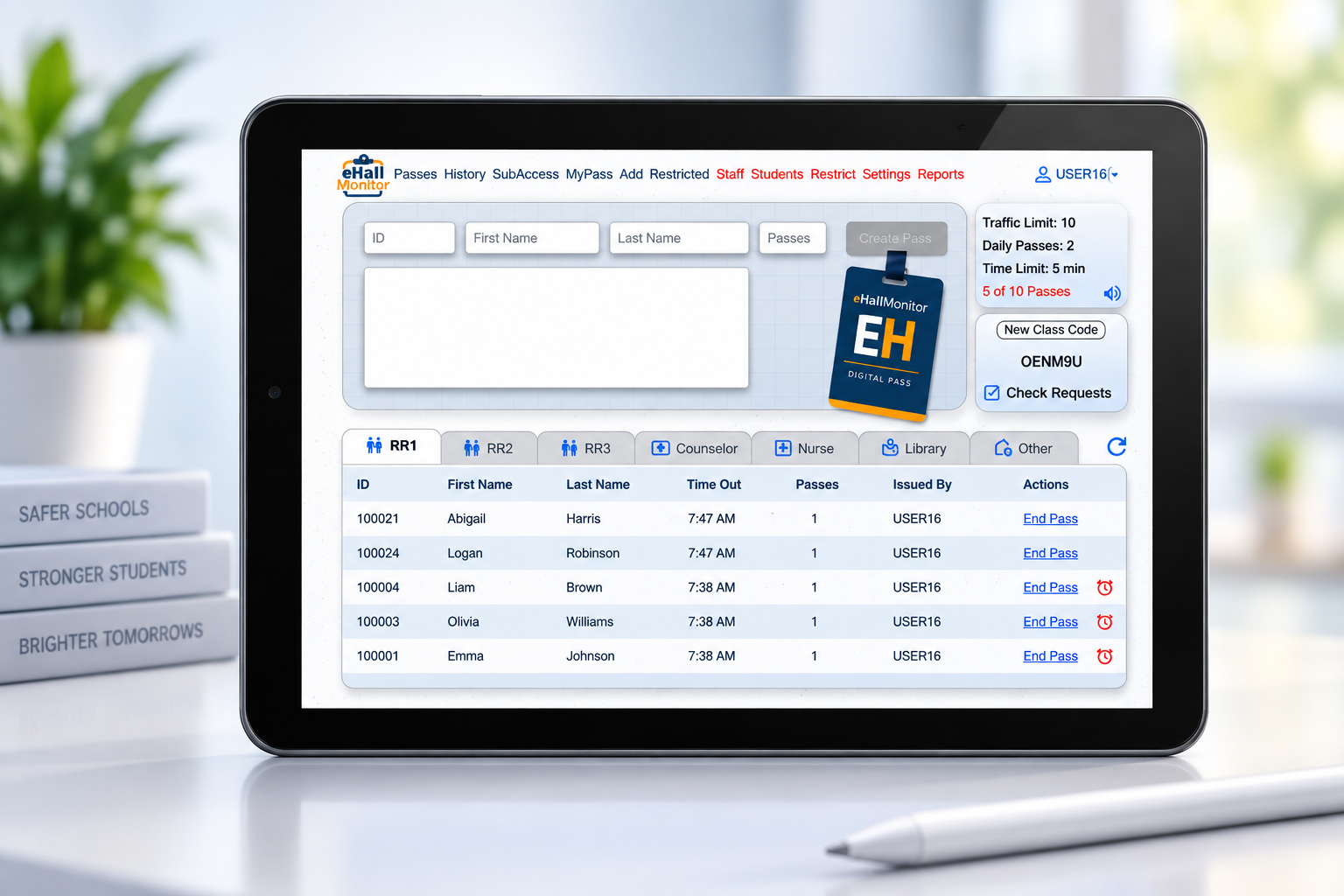
eHallMonitor applies campus rules automatically while giving staff multiple ways to manage student movement.
Before a pass is granted, eHallMonitor can automatically check traffic limits, daily limits, student restrictions, and time restrictions.
Students can request passes directly from their own device while the teacher remains in control of approving or denying the request.
Turn a classroom Chromebook, tablet, or other device into a dedicated pass station where students can create and end passes.
Generate temporary secure access for substitutes and support staff without creating permanent accounts or sharing teacher credentials.
Configure restroom locations, libraries, nurse visits, custom destinations, traffic limits, time limits, and individual daily limits.
Prevent selected groups of students from receiving simultaneous passes when campuses need additional control over recurring hallway meetups.

Different teachers manage their classrooms differently. eHallMonitor doesn't require every classroom to use the exact same workflow.
Teachers can create passes from the dashboard, students can use MyPass, or students can submit requests from their own devices. Campus rules are still applied consistently.
Hallway traffic creates data. eHallMonitor helps administrators use that data to identify students losing instructional time, unusual pass frequency, and recurring overlaps between students.

With SubAccess, staff can generate a secure temporary session for substitutes or support personnel. There are no permanent usernames or passwords to create, and the temporary session automatically expires.
Campus administrators can configure pass rules around the way their school actually operates.
Set how many students may have an active pass to a particular location at the same time.
Assign an expected duration to each location and alert teachers when an active pass becomes overdue.
Determine how many times a student may visit a location during the school day.
Block selected destinations during transitions, lunch, testing, assemblies, or other campus-defined times.
Administrators can increase or decrease daily passes for individual students without changing campus-wide settings.
Locate completed passes by student, date, or staff member for attendance verification, investigations, or record keeping.
Explore the full eHallMonitor user guide for pass creation, student requests, MyPass, SubAccess, reports, restrictions, and campus configuration.
Request a demonstration, ask a question, or receive a quote for your school.
You can also reach the eHallMonitor team directly at:
Team@eHallMonitor.com✓ Message sent! We'll be in touch soon.